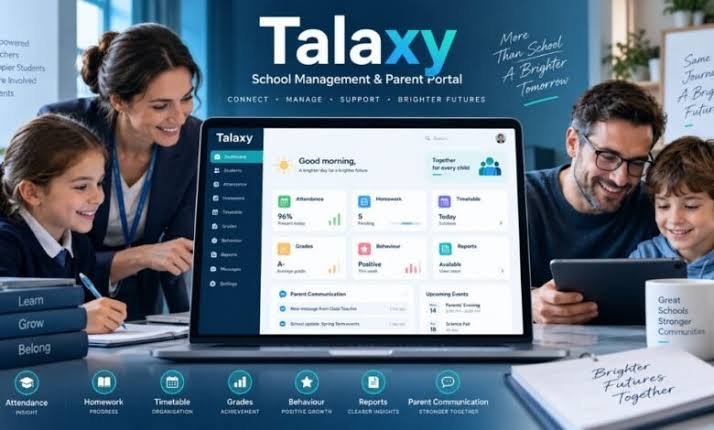
Talaxy: A Complete Guide to the School Management Platform
Schools need reliable ways to manage student information, communicate with families, monitor academic progress, and organise everyday activities. When these responsibilities are handled through separate systems, finding important information can become difficult.
Talaxy is a cloud-based school management and communication platform designed to bring different educational tools together. It helps teachers, students, parents, and school administrators access relevant information through a connected digital environment.
Rather than serving only as a messaging application or attendance tracker, Talaxy offers a wider collection of tools that schools can select according to their needs. These may include attendance registers, academic grades, behaviour management, homework, school communications, and parent-teacher meetings.
Understanding how the platform works can help families make better use of the information their schools provide. This guide explains its main features, benefits, login process, mobile accessibility, and practical considerations.
What Is Talaxy?
Talaxy is a cloud-based educational management platform developed by TASC Software Solutions. It is designed to work alongside major school Management Information Systems (MIS), providing additional tools for handling school activities and sharing information.
The platform brings several educational functions into one environment. Instead of relying on multiple disconnected applications, schools can select the tools that match their administrative and teaching requirements.
Its intended users include:
- Teachers: Manage registers, grades, homework, behaviour records, and classroom activities.
- Parents and carers: Receive school communications and access relevant information about their children.
- Students: View educational information and use available learning-related tools.
- School administrators: Organise information, manage processes, and support communication across the institution.
One important detail is that Talaxy can be customised. Not every school necessarily uses every available feature, so the experience can differ between institutions.
How Does Talaxy Work?
Talaxy operates through a cloud-based web application. Schools configure the tools they need and provide authorised users with access to their relevant information.
The system is designed to connect different parts of school administration while working alongside existing MIS software.
For example, a teacher may use the platform to record attendance, while a parent can access relevant attendance information through the school’s portal.
A typical workflow looks like this:
- The school configures its required Talaxy tools.
- Teachers and authorised staff use the relevant administrative features.
- School information is made available to authorised users.
- Parents and students access the features enabled by their institution.
- School communications and updates can be shared through the platform.
This connected approach can reduce the need to move between separate applications for routine school activities.
Main Features of Talaxy
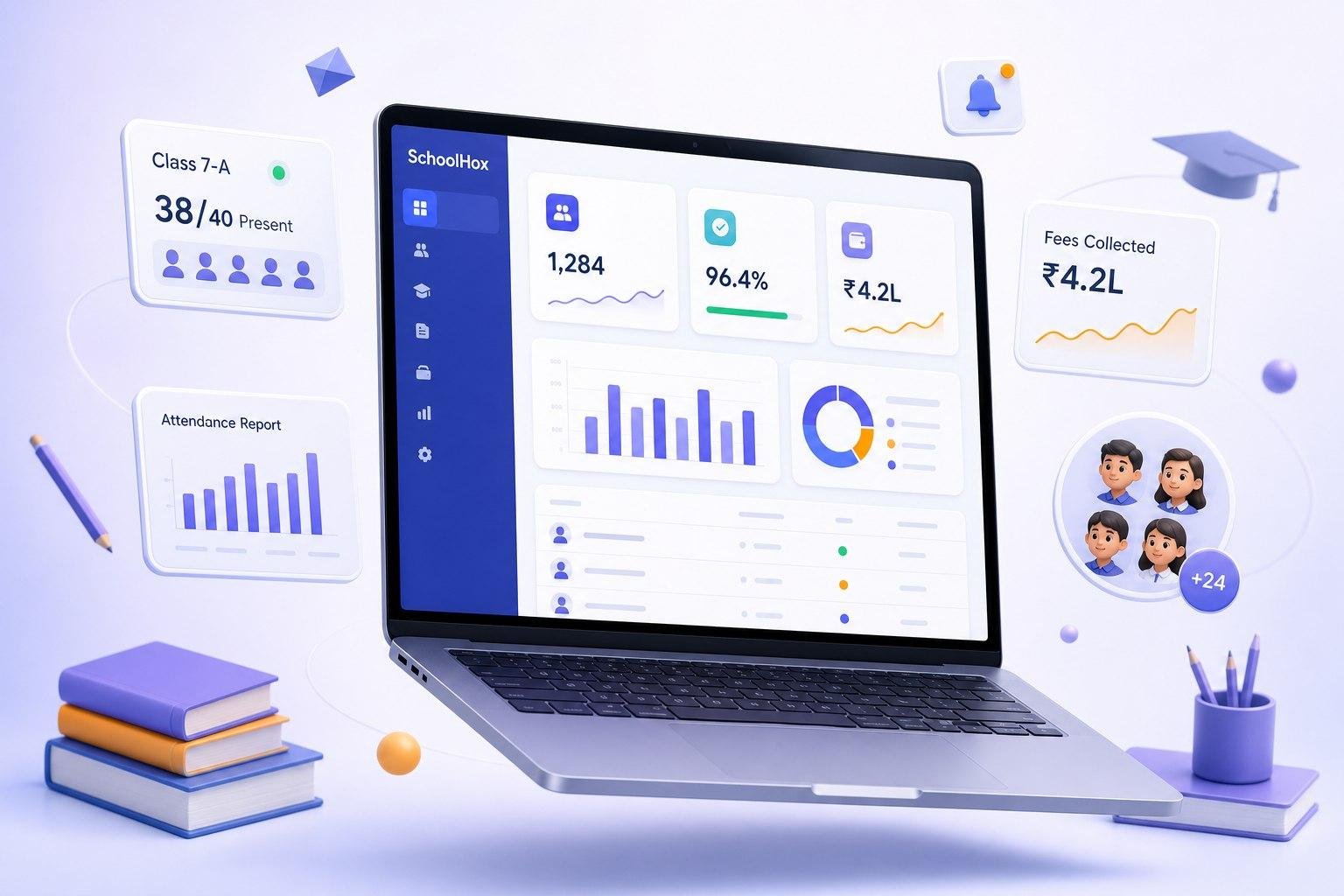
Talaxy provides a collection of tools covering different areas of educational administration. The exact selection depends on the school’s requirements.
1. Attendance and Registration Management
Attendance is an important part of student administration. Schools need accurate records to understand attendance patterns and identify situations that may require attention.
Talaxy includes registration and attendance-related tools that help staff manage this information.
Depending on the school’s configuration, relevant users may be able to view attendance records and related updates.
2. Academic Grades and Student Progress
Monitoring academic performance helps teachers and families understand how students are progressing.
Talaxy includes tools for managing grades and educational information. Teachers can use available functions to record and organise academic data, while authorised parents and students may access relevant progress information.
This can make it easier to follow educational development throughout the academic year.
3. Behaviour Management
Student behaviour is another important area of school administration.
The platform offers behaviour management tools that allow schools to record and manage relevant information. These records can support communication between teachers, administrators, and families.
Schools can also use intervention processes according to their own policies and procedures.
4. Homework Management
Homework helps students practise concepts introduced during lessons.
Talaxy offers homework-related tools that schools can use to organise and share learning tasks.
Depending on the school’s setup, students and parents may be able to access homework information and keep track of assigned activities.
5. School Communication
Communication between schools and families needs to be clear and timely.
Talaxy includes communication tools designed to help schools distribute important information to the right people.
These may support school announcements, messages, documents, and other updates.
A central communication environment can make it easier for parents to stay informed without depending entirely on printed notices or separate messaging services.
6. Parent-Teacher Meetings
Meetings between parents and teachers provide an opportunity to discuss academic performance, behaviour, and student development.
Talaxy includes tools for managing parents’ evenings and related communication.
Schools can use these features to organise meeting-related activities and help families stay involved in their children’s education.
7. Seating Plans
Classroom organisation can affect how teachers manage lessons and interact with students.
Talaxy offers seating plan tools that help staff organise classroom arrangements.
These tools can support everyday classroom management and allow schools to maintain relevant organisational information.
8. Customisable School Tools
One of the platform’s important characteristics is its modular approach.
Schools can choose the tools they need rather than being required to use every available feature.
This flexibility allows institutions to build a system around their own priorities and introduce additional tools as their requirements change.
Benefits of Using Talaxy in Schools
The value of an educational platform depends on how effectively it supports everyday activities.
Here are some potential benefits of using Talaxy.
Better Communication Between Schools and Parents
Parents need access to relevant school information to remain involved in their children’s education.
A centralised communication system can make it easier for schools to distribute updates and for families to find important information.
More Organised School Administration
Managing attendance, grades, behaviour records, and communications through connected tools can reduce unnecessary administrative work.
Staff can spend less time switching between disconnected systems and more time focusing on educational responsibilities.
Improved Access to Student Information
When schools make relevant information available through a central platform, authorised users can find important updates more conveniently.
This can support better awareness of academic progress and everyday school activities.
Flexible Educational Management
Different schools have different operational requirements.
Talaxy’s customisable structure allows institutions to select appropriate tools and expand their setup when necessary.
Convenient Cloud-Based Access
Because Talaxy is cloud-based, users can access their school’s portal through compatible internet-connected devices.
This can make it more convenient to check information outside the school environment.
How to Log In to Talaxy
The login process generally begins with an invitation or registration link supplied by the student’s school.
There is no guarantee that one general login address will work for every institution because schools can have their own portals.
Follow these steps:
- Check your email for an invitation from your school.
- Open the registration link provided in the message.
- Create an account using the available registration options.
- Verify your email address if requested.
- Visit the specific Talaxy portal supplied by your school.
- Sign in using your registered account details.
Some participating schools also allow users to sign in through supported third-party accounts, such as Google or other identity providers.
Important: Always use the login link published by your school. Do not enter your personal information into an unfamiliar website simply because it contains the Talaxy name.
How to Access Talaxy on Mobile Devices
Talaxy is described by participating schools as a Progressive Web App (PWA).
A PWA provides an app-like experience through a web browser. It can also be added to a compatible device’s home screen.
Using Talaxy on Android
- Open Google Chrome.
- Visit the Talaxy address provided by your school.
- Open the browser menu.
- Look for the Install option or Add to Home Screen.
- Follow the instructions displayed on your device.
Using Talaxy on iPhone or iPad
- Open Safari.
- Visit your school’s Talaxy portal.
- Tap the Share icon.
- Select Add to Home Screen.
- Confirm the shortcut.
The available installation options can vary depending on your browser and device.
Adding the portal to your home screen does not necessarily mean that you have downloaded a traditional application from an app store.
Talaxy for Parents: What Can You Do?
For parents, Talaxy can provide a convenient way to stay connected with school activities.
Depending on the institution’s configuration, parents may have access to:
- Attendance information.
- Academic progress and reports.
- Behaviour-related updates.
- School announcements.
- Important documents.
- Homework information.
- Parent-teacher meeting arrangements.
- Other school-related notifications.
These features can help parents understand what is happening at school and respond to important information when necessary.
However, parents should remember that the available information depends on what their school has enabled.
Talaxy for Teachers and School Administrators
The platform is not limited to parents and students. It also provides tools for the people responsible for running educational institutions.
For Teachers
Teachers can use available tools to support classroom administration, including:
- Maintaining attendance registers.
- Managing academic grades.
- Organising seating plans.
- Recording behaviour information.
- Managing homework.
- Supporting parent communication.
For School Administrators
Administrators can benefit from tools that support wider school operations.
These include managing information, coordinating communication, supporting administrative processes, and selecting suitable software functions.
The goal is to create a more organised environment for routine educational responsibilities.
Is Talaxy Safe to Use?
Security is an important consideration for any platform that handles student information.
School management systems may process personal details, attendance records, academic information, and communication between families and educational institutions.
Before using a Talaxy portal, consider the following precautions:
- Use the official login address supplied by your school.
- Keep your password private.
- Avoid signing in on shared devices without logging out.
- Do not share screenshots containing sensitive student information publicly.
- Contact your school if you receive suspicious account-related messages.
- Ask the institution how personal information is managed and protected.
Parents should also understand that their school determines which information is made available through its portal.
For further information, consult the school’s privacy policy and the software provider’s published data protection documentation.
Talaxy vs Traditional School Management Systems
Traditional school administration may involve several separate tools for communication, attendance, homework, and academic reporting.
Talaxy takes a more connected approach by offering a collection of tools that can work alongside an existing Management Information System.
| Area | Separate traditional tools | Talaxy |
|---|---|---|
| School communication | May use separate applications | Integrated communication tools |
| Attendance | Separate attendance software may be used | Registration and attendance tools |
| Academic records | May require different systems | Grade management features |
| Homework | Separate learning platforms may be needed | Homework-related tools |
| Parent engagement | Can involve multiple channels | Connected parent communication |
| Customisation | Depends on individual providers | Selectable tools and modules |
This comparison describes general approaches rather than a guarantee that every school will replace its existing software.
Talaxy is designed to enhance major MIS systems, so it should not automatically be considered a complete replacement for every school’s existing infrastructure.
Common Talaxy Login Problems and Solutions
Users may occasionally experience difficulties accessing their school portal.
Here are some common problems and practical steps.
Forgotten Password
Use the password recovery option if your school’s portal provides one. Follow the instructions sent to your registered email address.
Registration Email Not Received
Check your spam and junk folders. If the invitation is missing, contact your school’s administration team and ask them to verify your email address.
Incorrect Login Address
Different schools may use different Talaxy portal addresses. Confirm the correct link through your school’s official website or administration office.
Portal Not Loading
Check your internet connection, refresh the page, or try another supported browser.
You can also clear your browser cache if the problem continues.
Missing Student Information
Not every feature is available at every institution. Contact your school if attendance, reports, homework, or other expected information is missing.
Is Talaxy Available for Every School?
No. Access depends on whether a school or educational institution uses the platform.
Schools select their preferred tools and configure their own portals. This means a student at one institution may have access to different features from a student at another.
Parents should contact their school to confirm whether Talaxy is available and how to register.
Is Talaxy the Same as Talaxy.ai?
No. This is an important distinction for people researching the name online.
Talaxy is associated with TASC Software Solutions’ educational platform, which focuses on school administration, communication, and student-related tools.
Talaxy.ai is a separately presented service that focuses on AI-powered recruitment and workforce automation.
Although the names are similar, their purposes are different.
If you are looking for your child’s school portal, confirm that the website is linked through your educational institution rather than assuming that every website containing the word Talaxy is the same service.
Frequently Asked Questions About Talaxy
1. What is Talaxy used for?
Talaxy is a cloud-based school management and communication platform. It provides tools for attendance, grades, behaviour management, homework, school communications, and other educational activities.
2. Who developed Talaxy?
Talaxy is developed by TASC Software Solutions, a company providing software solutions for educational institutions.
3. Can parents use Talaxy?
Yes. Parents at participating schools can use their institution’s portal to access available information, including school communications and relevant student updates.
4. How do I create a Talaxy account?
Parents and students generally receive registration instructions from their school. They can follow the invitation link, create an account, and verify their details.
5. Does Talaxy have a mobile app?
Talaxy is available as a cloud-based web application. Participating schools describe it as a Progressive Web App, which can be added to a compatible device’s home screen.
6. Can students check homework on Talaxy?
Yes, where the school has enabled the relevant homework functionality. Students can use the available portal features to access assigned learning activities.
7. Can parents check attendance on Talaxy?
Parents may be able to view attendance information through their school’s portal, depending on the features and permissions enabled by the institution.
8. Is Talaxy free for parents?
There is no universal public subscription price that applies to every parent. Access arrangements depend on the participating school and its agreement with the provider.
9. Why can’t I access my Talaxy account?
Common reasons include incorrect login details, an unverified account, an expired invitation, or using the wrong school portal. Contact your school if the normal recovery steps do not work.
10. Is Talaxy the same for every school?
No. Schools can customise their selected tools and portal configuration. Consequently, the available features and user experience may differ.
Conclusion
Talaxy provides schools with a connected collection of digital tools for managing educational activities and improving communication between teachers, students, parents, and administrators.
Its features cover important areas such as attendance, grades, behaviour management, homework, and parent engagement. Its customisable structure also allows schools to select the tools that suit their requirements.
For parents and students, the most important step is to use the correct school-specific portal and understand which features their institution provides.
As schools continue to adopt connected administrative systems, platforms such as Talaxy can play a useful role in making educational information easier to organise and access.






One Comment